
Find misconfigurations
before attackers do
CyberQua continuously audits your firewalls, network devices and Active Directory. It detects security risks, maps them to standards and guides your remediation.
TRTürkiye
- BİG GuideInformation & Communication Security Guide
- EPDKenergy sector cybersecurity
EUEuropean Union
- NIS2network and information security
USUnited States
- NIST 800-53
- NIST CSF 2.0
- NIST 800-82OT
- DISA STIG
INTLInternational
- ISO 27001:2022
- IEC 62443OT
- PCI DSS 4.0.1
- CIS Benchmark
- CIS Controls v8.1
- MITRE ATT&CK
Five steps from a config file to a verified fix.
Scroll to follow the same FortiGate configuration through every stage of a CyberQua scan.
The collector fetches the configuration
A collector VM in your network reads the configuration through the device's own management interface. Nothing is installed on the device, and nothing reaches in from outside.
- REST API · SSH · LDAPS
- passwords encrypted in your browser
Every rule tests a line, a value, a condition
Vendor-specific checks run against the parsed configuration. Settings that pass are recorded too, so you can prove what is already right.
- 72 FortiGate checks · 101 Palo Alto
- CIS, DISA STIG, vendor guidance
Each finding is tied to the clauses it breaks
One setting can touch a dozen frameworks. CyberQua shows exactly which clause of which standard a line affects, national requirements included.
- ISO 27001 · NIST · PCI DSS · NIS2
- BİG Guide · EPDK · IEC 62443
The same issue on six devices is one task
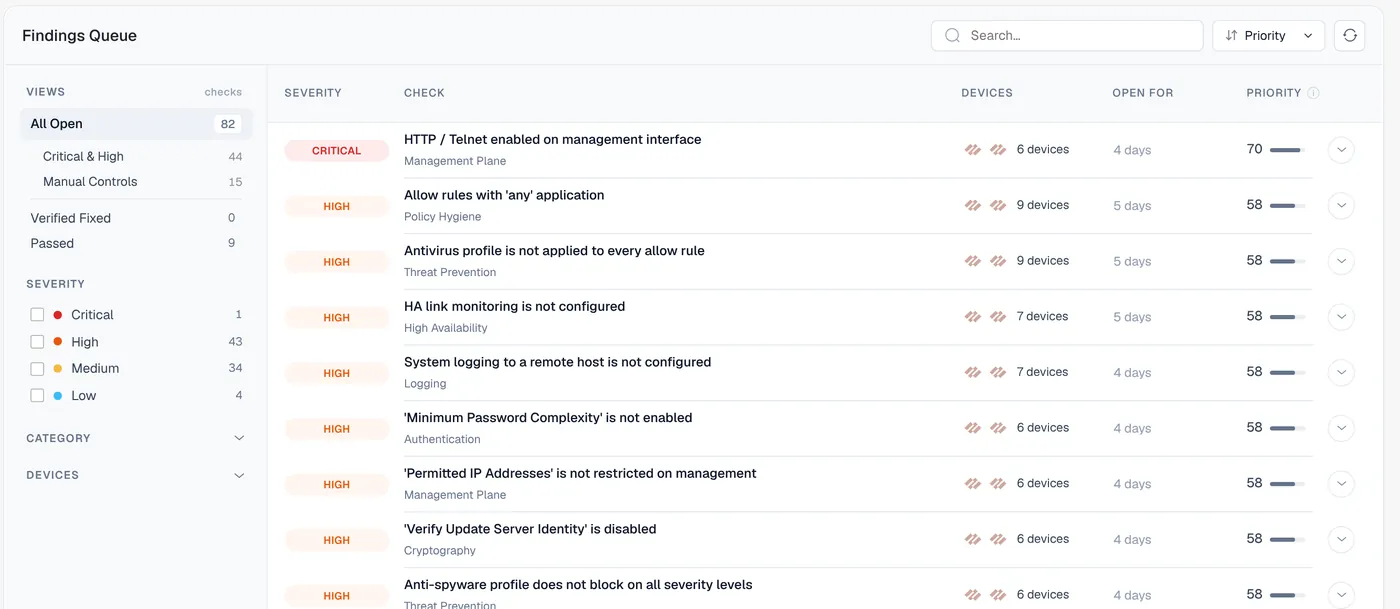
Findings are merged across the fleet and ranked by severity, reach and age, so the team starts with what matters most.
- priority score 0–100
- exploitability-aware CVE triage
Platform-specific remediation, verified on the next scan
Each finding comes with the exact commands for that platform. CyberQua never changes your device; it checks again and marks the fix as verified.
- read-only by design
- revision history and comparison
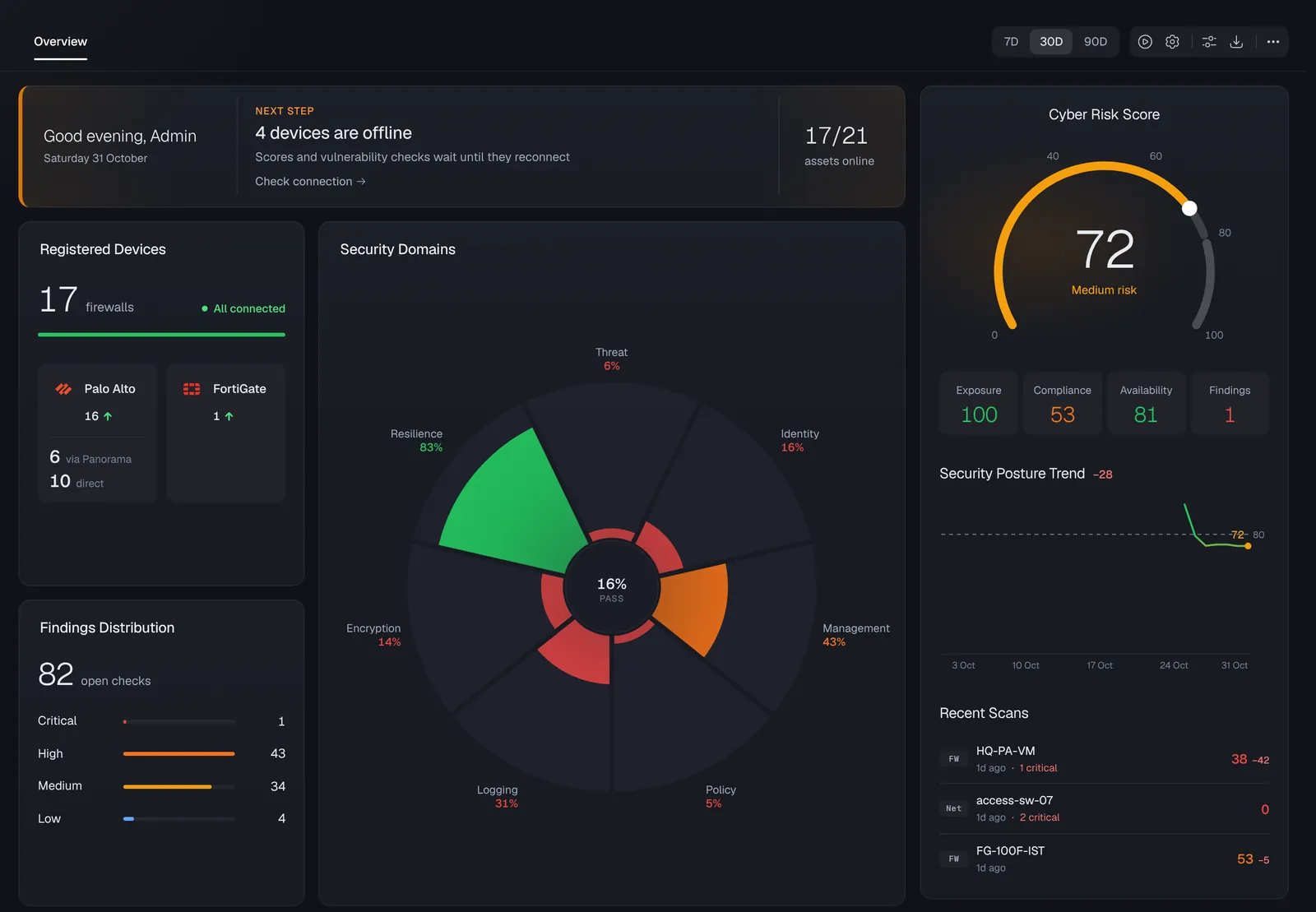
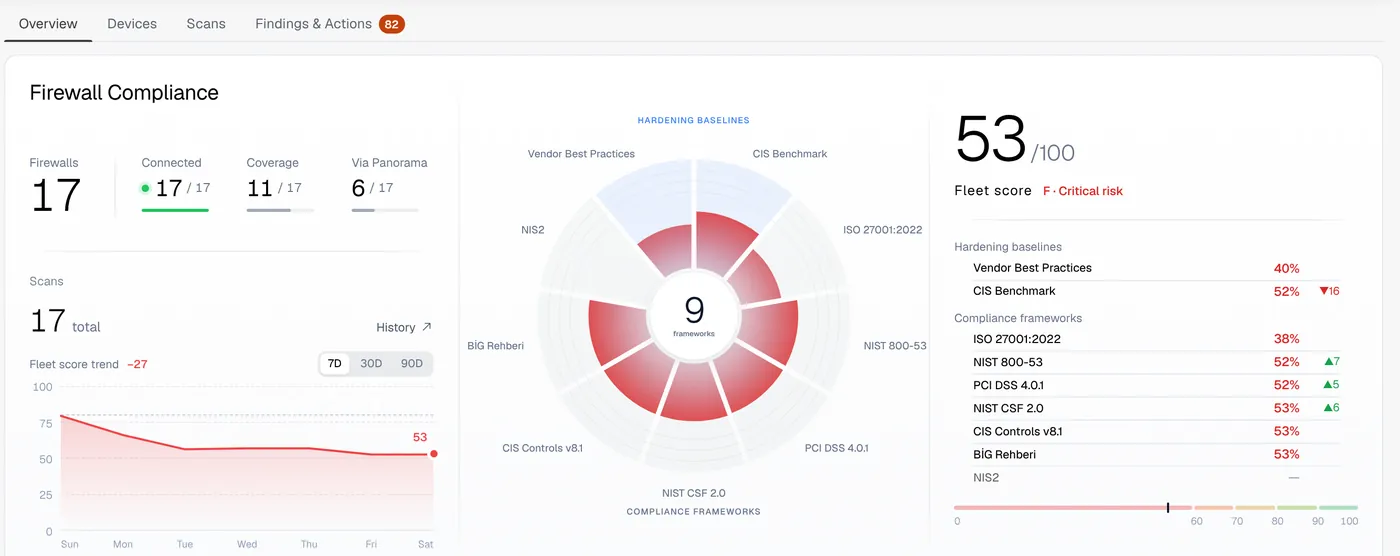
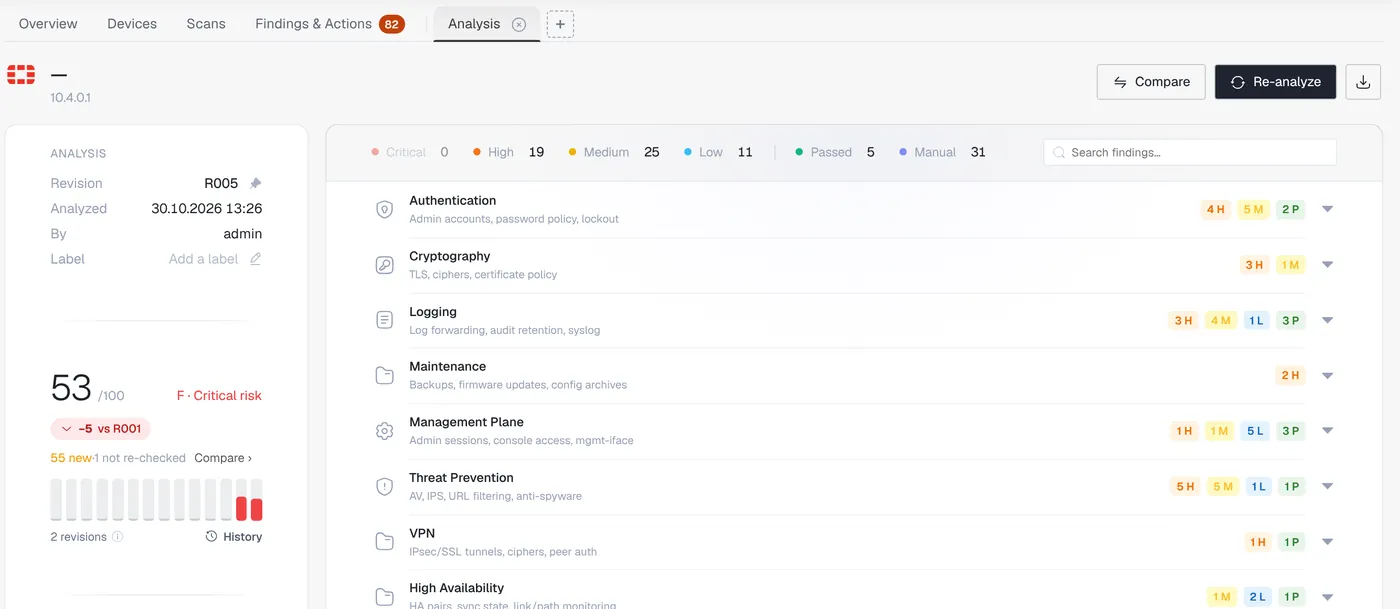
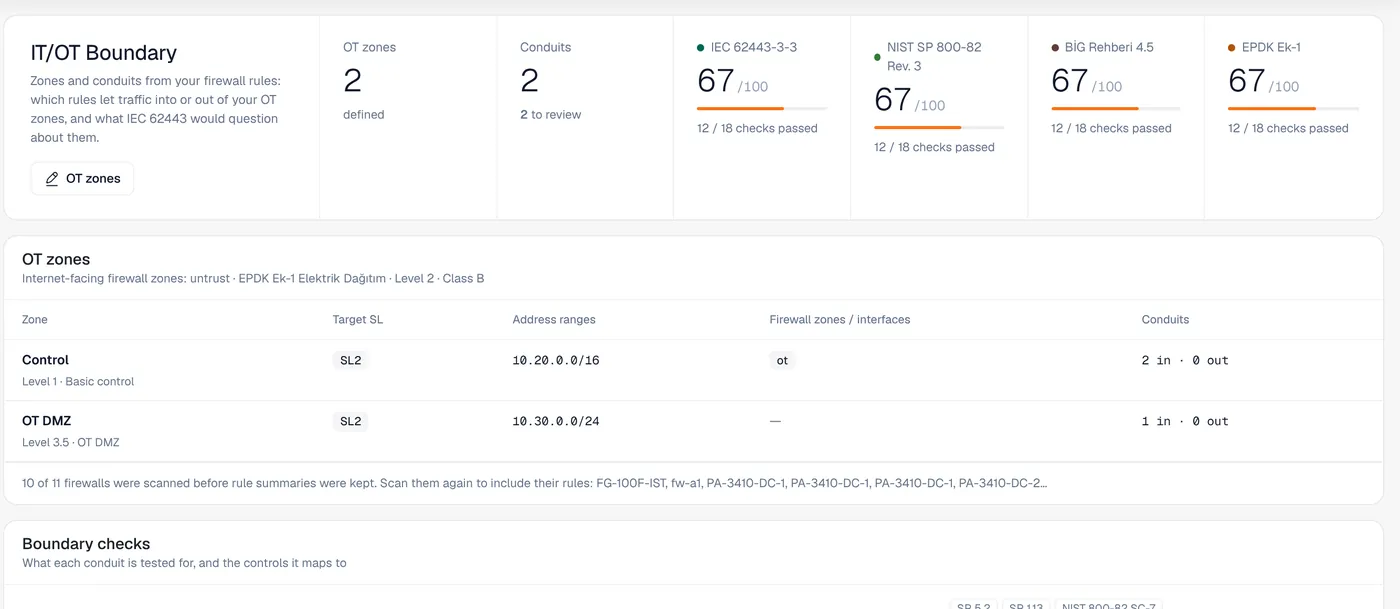
One panel for the whole fleet. Down to a single line.
Live at app.cyberqua.com, multi-tenant, in light and dark themes.
1 & 2 & 31 & ?1 & !2Not every CVE is your CVE.
A version match alone produces noise. Before raising the alarm, CyberQua checks whether the vulnerable feature is actually switched on in your configuration and whether the vendor's precondition holds.
Fix it once. Every framework moves with it.
Each check is mapped to the controls it satisfies, so one remediation shows up in every report it belongs to.
DISA STIG mappings currently cover FortiGate.
Your devices stay inside. Only results leave.
A tool that reads your firewall configuration has to earn that trust. These are design decisions, not add-ons.
CyberQua Collector
- 01VM appliance, OVA / VHDX
- 02credentials decrypted only here
- 03signed, auto-rollback updates
CyberQua Platform
- 04isolated tenants
- 05passkey / TOTP · WAF
- 06encrypted, 3 backup sites
Outbound only
No inbound ports, no VPN, no remote access to your network.
Credentials stay with you
Encrypted in the browser, decrypted only on your collector. The platform never holds them.
Signed updates
Signed with an offline key; rolled back automatically if anything fails.
Tenant isolation
Separate database roles; encryption at rest and in transit.
Strong sign-in
Passkeys and authenticator apps, behind a web application firewall.
Hosted in Türkiye
Data stays in Türkiye, backed up to three separate locations.
Questions we hear most.
Do I need to install an agent on my devices?
No. A single collector VM in your network reads configurations through the devices' own management interfaces (API, SSH or LDAPS). Nothing is installed on the devices.
Does CyberQua change anything on my firewall?
No. It only reads configurations and never writes or commits changes. Remediation commands are shown for your team to apply.
Can CyberQua see my device passwords?
No. Passwords are encrypted in your browser and can only be decrypted by your own collector. The platform stores neither the passwords nor the keys to read them.
Where is my data stored?
In Türkiye, encrypted at rest and in transit, with backups in three separate locations. Each organisation's data is isolated from the others.
Which devices are supported?
Palo Alto Networks (PAN-OS and Panorama), Fortinet FortiGate, Cisco IOS, HPE Comware, HPE Aruba ProVision, Aruba CX and Microsoft Active Directory. New platforms are added with each release.
Let's read your network together.
Tell us a little about your environment, and we'll get back to you to plan a walkthrough on your own devices.
Solid Bilişim Teknolojileri ve Danışmanlık Ltd. Şti.